

How to Read a Wiring Diagram Without Going Crazy

You pull up the diagram, stare at it for a few seconds, and your brain checks out. Lines going everywhere, boxes with labels that mean nothing at first glance, splice points that seem to dead-end into nowhere. Most techs have been there. The problem is that nobody actually sat down and explained how these things work. You just got thrown in and figured it out the hard way.
Once you understand the logic behind a diagram, though, it clicks pretty fast. This is a straightforward breakdown of how to actually read one and use it to get the job done.
Start With the Layout, Not the Lines

The single biggest mistake is jumping straight into tracing wires before you know what you are looking at. Take ten seconds to get your bearings first.
Every wiring diagram follows the same basic structure. Power comes in from the top, ground sits at the bottom, and the components live somewhere in the middle. That layout does not change. Once that clicks, the rest of the diagram becomes a lot less overwhelming.
Find the legend before you do anything else. Symbols and wire color abbreviations vary between Ford, GM, Toyota, and everyone else. A quick look at the legend saves you from misreading a wire color and chasing the wrong circuit for twenty minutes.

The Symbols You Actually Need to Know
You do not need to memorize the whole library. These are the ones that show up on almost every job:
- Solid lines are wires. Dashed lines typically indicate a shielded cable or conduit.
- A filled dot where two lines meet means they are connected. No dot means they cross but do not connect.
- Rectangles and labeled boxes represent components like sensors, relays, and control modules.
- A small triangle pointing down is a ground point.
- A zigzag line is a resistor. A curved line is a capacitor.
That covers most of what you will run into day to day. The rest you can look up as needed.

Pick your starting point, usually the fuse or relay that feeds the circuit, and follow it from there. Go component by component, connector by connector, until you reach ground. That is it.
The techs who end up frustrated are usually the ones jumping around the diagram trying to find the problem instead of walking the circuit. Tracing it from start to finish takes a little longer up front, but it significantly reduces your diagnostic time because you are not backtracking.
Watch for splice points
Splice points are where one wire feeds multiple circuits. They are easy to overlook, but they cause some of the most confusing faults in the car. A bad splice can manifest as two unrelated problems at once. If something does not add up, go back and check whether a splice is involved.
A Real Example: Fuel Pump That Would Not Run

A Real Example: Fuel Pump That Would Not Run
Late-model pickup, intermittent no-start. The PCM comes up fine, scan tool shows no crank codes, but the fuel pump never primes. You pull the diagram and start at the fuel pump relay, tracing the circuit down toward the pump.
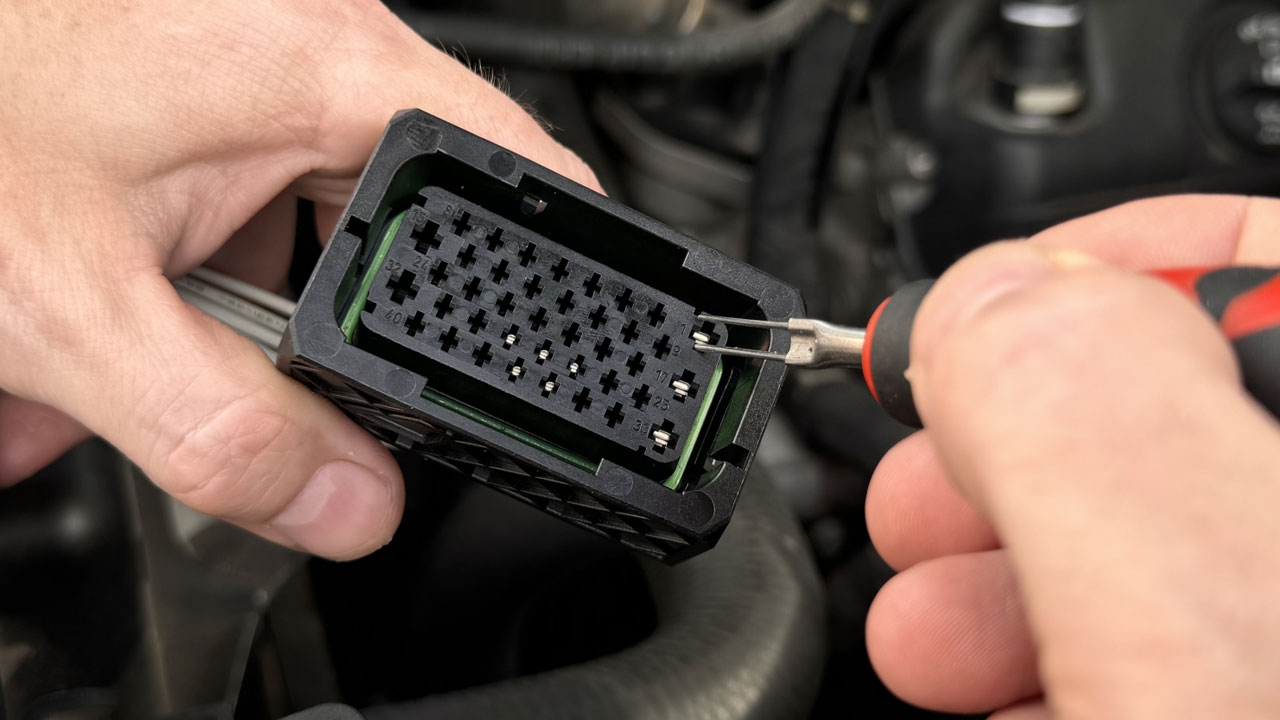
About halfway through, you notice a splice point shared with the cooling fan circuit. That is worth a look. The diagram points you to a connector sitting between that splice and the pump. You locate it under the truck, pull it apart, and the terminals are green and corroded all the way through.
Following the diagram got you there without random probing or guessing. That is exactly what it is supposed to do.
What to Do Once You Find the Bad Connector
Knowing which connector failed is only half the job. The other half is getting the right replacement without butchering the harness. The connector ID in the diagram tells you where it lives in the circuit, but it is not a part number you can just drop into a search bar.
The easiest move is to snap a picture of the connector and send it to the team at FindPigtails.com. They will match it for you. You can also use the FindPigtails app to identify it on the spot. Either way, you are getting an OEM-style pigtail that fits right, no splicing, no guessing, no comebacks.
Skipping the legend
Wire colors mean different things on different vehicles. BLK is black on most diagrams but not all. Two minutes with the legend at the start saves you from misreading an entire circuit.
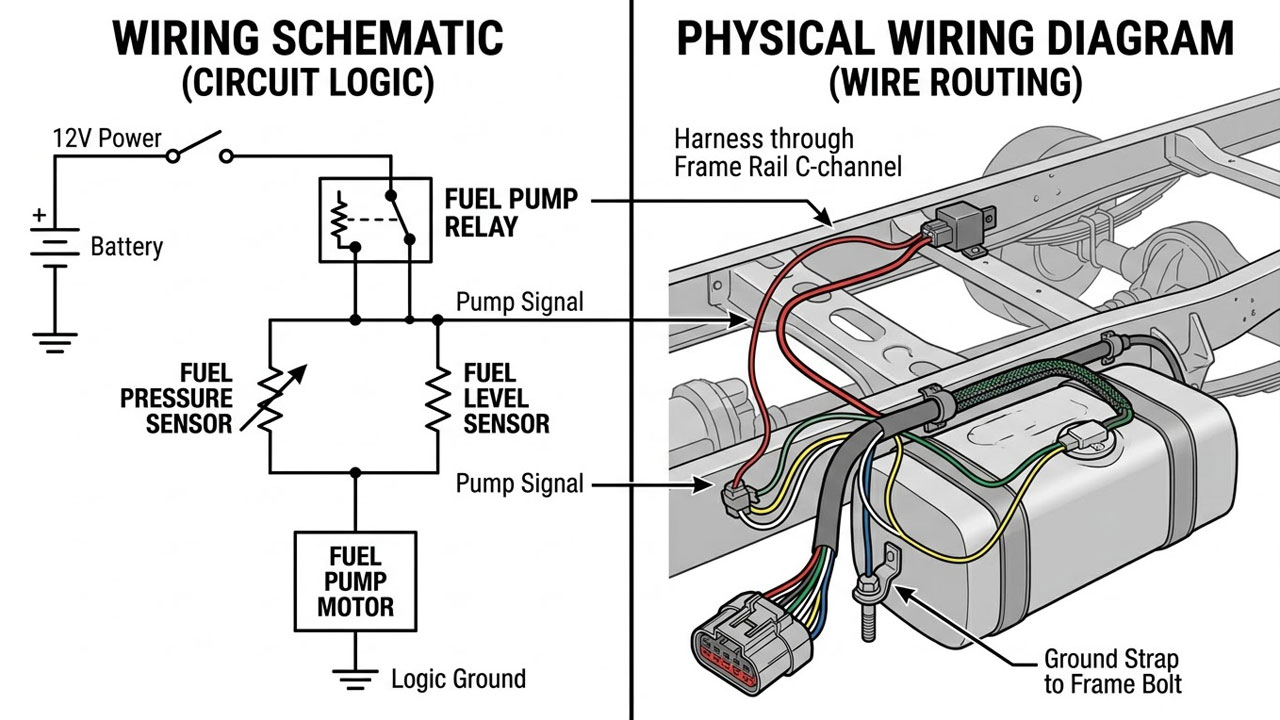
Mixing up schematics and wiring diagrams
A schematic shows you how the circuit works electrically. A wiring diagram shows you where the wires physically run in the car. They look similar, but they answer different questions. For most electrical diagnostics, you need both, and knowing which one you are looking at matters.
Forgetting about splice points
Already mentioned above, but worth repeating. Splices affect multiple circuits. One bad connection at a splice can trigger faults that look completely unrelated. If your diagnosis doesn't make sense, go back and check the splices in that section of the diagram.
Keep It Simple and Work the Diagram
Wiring diagrams are not as intimidating as they look at first glance. The layout is consistent, the logic is repeatable, and once you slow down and work through a circuit from source to ground, you will move a lot faster than the tech who is just poking around, hoping something shows up on the meter.
And when the diagram points to a damaged connector or a cooked pigtail, do not bury a splice in the harness and call it done. FindPigtails.com carries OEM-style connectors and pigtails for thousands of applications. Snap a picture of the connector and send it our way, or use the FindPigtails app to match it on the spot and get the right part the first time."